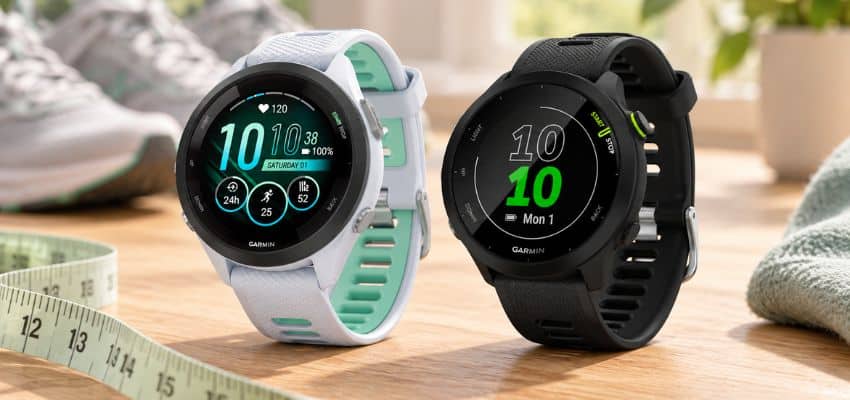
Two distance totals can describe one run without either being the final word.
You stop your watch at the front door and pull out your phone: one says 5.02 miles, the other 4.91. It’s tempting to pick the number you like better, but I wouldn’t treat either as the exact distance just yet.
The same run does not create the same GPS record
The devices travel beside each other, but they do not create one shared measurement. Each builds its own version of the route from the location information it receives.
The watch and phone collect different GPS samples
Neither device measures the pavement under your feet. Each records a series of location points, then estimates the distance between them.
The watch and phone may collect those points at different moments, with different antennas, power settings, and views of the sky. Traveling together does not make their raw records identical.
Differences begin before either map is drawn
Each device also decides what to do when a point looks uncertain or arrives late. One may keep it, another may smooth it, and a third app may process the uploaded file again.
Even when the run is identical, the recorded routes can differ slightly. A small gap tells you the devices disagree – not which one is right.
Rule out settings before blaming GPS
Before studying satellite reception, I would rule out the ordinary mismatches that can make two perfectly reasonable recordings look incompatible.
Four checks before the next run
-
Check units, activity type, and GPS mode
I first make sure both totals use the same units: 5 miles and 5 kilometers are very different distances. Then I check that both devices recorded an outdoor run with GPS enabled. A battery-saving GPS mode may record fewer location points, so it is worth checking that setting too.
-
Check indoor runs another way
An indoor run may not use GPS at all. A watch might estimate distance from arm movement or a foot sensor, while a treadmill reports belt movement. For an indoor track, tracking distance by counting laps gives you a separate check; comparing two GPS maps will not settle it.
-
Match auto-pause and start-stop timing
If one device auto-pauses at a crossing and the other keeps recording, their moving times will differ. If you walk while one recording is paused, their distances may differ too. Check when each recording actually began and ended – starting the phone before the watch, or stopping it later, adds real ground to one file.
-
Compare the same part of the run
Before deciding that either GPS track is wrong, look at the start and finish points on both maps. If they cover different portions of the route, compare only the shared stretch. That is more useful than trying to explain a gap that came from recording different runs.
If the mismatch mainly appears on a running track, this short Garmin walkthrough shows how Track Run calibration and recalibration can change the recorded distance.
The surroundings can bend one track more
Once the settings match, the next question is what each device could actually see. The same trees and buildings surround both devices, but their antennas sit in different places and may not lose the same GPS points.
Wait for GPS lock and check phone placement
If I press start while my watch is still looking for a signal, the first part of the run may be estimated from too few location points. A phone can have the same problem, and the two devices may be ready at different times.
Before moving, I’d give each one a moment to get a solid GPS signal before running. Waiting until the watch says it’s ready is more useful than assuming both devices locked on when I opened their apps.
Phone placement can matter, too. A phone buried in a bag or tucked against my body has a different view of the sky from a watch on my wrist. That doesn’t mean a pocket always produces a bad track, but if the phone’s route looks messy, I’d try carrying it in a consistent, less-covered position on the next run.
A watch can record its own GPS route without using the phone, but that is separate from knowing which emergency features work without a phone. Distance recording and connected safety features should not be treated as the same capability.
Trees, buildings, tunnels, and turns distort routes
GPS works best with a clear view of the sky. Garmin’s GPS accuracy guidance identifies tall buildings and dense tree cover as conditions that can weaken the signal and affect recorded distance, pace, and track data.
In a tunnel, a device may lose its position entirely and draw a straight line between the last good point and the next one it finds. One device might handle that gap differently from the other, even though both traveled the same route.
Tight turns add another wrinkle. If neither device records a point right at the corner, its map may cut diagonally across it and report a shorter distance.
Stray points that zigzag away from the route can push the total higher instead. I’d look at the shape of the track around a suspicious stretch before treating either number as the right one.
Open both recording screens outdoors, wait for each device to show it has a GPS fix, then start them at the same spot. Keep the phone in one place for the run. If the totals still differ, check whether the mismatch lines up with covered paths, buildings, tunnels, or sharp turns.
Why Strava may show a third distance
Seeing a different number in Strava can make the comparison look like three devices disagree. First check whether Strava recorded the run itself or received a file from the watch.
Phone recording differs from a watch upload
A run recorded in the Strava phone app starts with the phone’s location readings. A run recorded on a watch and then uploaded to Strava starts with the watch’s recording. Even if I view both runs on the same Strava map, they did not begin with the same GPS points.
That distinction matters when comparing three numbers. If the watch says one distance and Strava shows another for that watch upload, Strava is not giving me a third, independent recording of the run. It is showing a version of the watch activity.
If I also recorded with the Strava phone app, that is a separate recording worth comparing on its own.
Smoothing and correction can change totals
Distance is built by joining recorded points. Strava’s explanation of distance calculation notes that its displayed total can differ from the device because the platform parses GPS and device distance data after upload.
Where Strava offers a distance-correction option, recalculation can move the number up or down; that change does not prove the new total is exact.
Before deciding which number to trust, I would check the activity’s recording source, compare it with the original watch or phone record, and note whether I’m looking at a corrected distance. Then I’d look at the maps: a changed total alone cannot show which track followed the route more closely.
Compare maps before trusting a number
The final totals are only the result. The route lines show where the disagreement began, so I would inspect those before deciding that either device failed.
Look for gaps, spikes, drift, and missed corners
When two totals disagree, I’d open both route maps before deciding which number looks more believable. Zoom to the same stretch of road or path on each map, especially where the route changes direction. A tidy-looking total can still come from a messy track.
Check whether one line skips a section, shoots across a block, wanders beside the path, or cuts straight through a corner you actually rounded. A spike can add distance; a shortcut across a bend can subtract it.
Sideways drift is less predictable: depending on how the points connect, it can push the total either way. If the route itself looks wrong, ways to fix an inaccurate GPS route track are more useful than guessing from the final digits.
Repeated patterns matter more than one small gap
One odd corner on one run does not tell me that a watch or phone is generally more accurate. GPS points vary, and a small difference may be spread across the whole route rather than caused by one obvious mistake on the map.
I’d be especially cautious about calling a winner if both lines follow the route reasonably well.
A pattern across several runs gives you more to work with. If the phone track repeatedly wanders on the same tree-covered stretch while the watch track stays near the path, that points toward a recording issue worth investigating.
If both maps look sound but the totals differ by a little, the maps may not settle it. The useful question is whether the mismatch keeps appearing in the same place or under the same conditions – not which distance happens to match what you expected.
Gap: A missing stretch may shorten the recorded route.
Spike: A sudden out-and-back line may add distance.
Drift: A line running beside the path can change the total either way.
Missed corner: A straight line across a turn may cut distance.
Run one clean comparison
If the maps do not reveal an obvious cause, one controlled comparison is more useful than arguing with several old activities recorded under different settings.
-
Use the same route and settings
Pick an outdoor route where you can follow the same path from start to finish, preferably with an open view of the sky. Set both devices to the same distance units and activity type, check their GPS modes, and either turn auto-pause off on both or match the setting. Keep the phone in one position for the whole run.
-
Wait for both devices
Let the watch show that it has a GPS fix before you move, and give the phone app time to show that it’s ready too. Starting while one device is still finding your location makes the first part of the comparison hard to judge.
-
Start and stop together
Begin both recordings while standing in the same spot, then stop them together at the end. If one records an extra walk to the car, its longer distance won’t tell you much about GPS accuracy.
-
Compare the tracks, then the totals
Look at the two maps before deciding what the distance gap means. A missing stretch, a line through a building, or a corner cut short gives you more to work with than two different numbers alone. If you check Strava as well, remember that a watch upload is not a third, independent recording.
-
Fix the source, not every saved activity
If the same fault appears on several runs, change the likely cause: wait longer for a fix, adjust phone placement, or check the recording settings. I wouldn’t edit old activities just to make their totals agree; that hides the pattern. Repeated faulty tracks can become one practical consideration when choosing a beginner running watch, but one mismatched run is not a reason to replace it. Nor can a distance gap alone decide whether a smartwatch or running watch fits your first 5K.
One careful comparison may not prove which device has the exact distance, but it can show whether a settings mismatch or a visible track error explains the gap. If the maps look sound and the difference stays small, I’d use one recording source consistently rather than trying to make every total match.